Free Games...

Download Latest Games...And All For Free!!! So, grab your oppurtunity.

More Than 100 Games...

You can download more than hundred games with absolutely free of costs...

Games of all Categories Available!!!

You can download games of all categories such as Adventure Games, Action Games, Racing Games, RPG games, Console Games, etc..

Simple Steps To Download...

For downloading games just click the download link wait for 5-6 seconds click on skip ad and download your game... Its easy and more simple.. Try it...

Request Your Games...

Now you can request your own game to us for uploading their download links and than you can download your game. If you want to request your game just go to request game page and request your game by commenting... Try Yourself Click here...

Showing posts with label IGI3 the plan. Show all posts

Monday, 9 December 2013

Why IGI 3 is not running Vertically on my PC?

How to run IGI 3 Vertically on the PC?
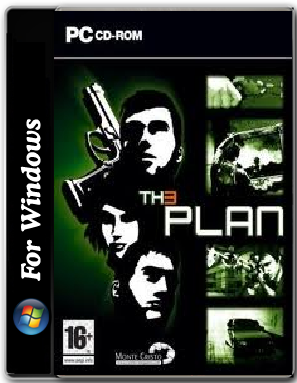
Friends, if you are facing the same problem that I face than you have visited right place for fixing that problem.

Follow these simple steps as mentioned below:

i.)   Download the Default setting File: Default Setting file (https://Defaultsetingfile.ini  ) Size- 5KB
ii.)  Delete the file that is written as Default Setting from that place.
iii.) Paste the downloaded file in the same place where you have installed the IGI 3 game.
iv.)  You have fixed your problem.

Or

i.)   Download the configuration file from https://settingfile/gamub
ii.)  Go to the place where you have installed the IGI 3 game.
iii.) Search for a file that is written as DefaultSettings.
iv.)  Change the code of DefaultSettings with the written code.
v.)   Your problem will be fixed.

Comment us if you are facing any problem.